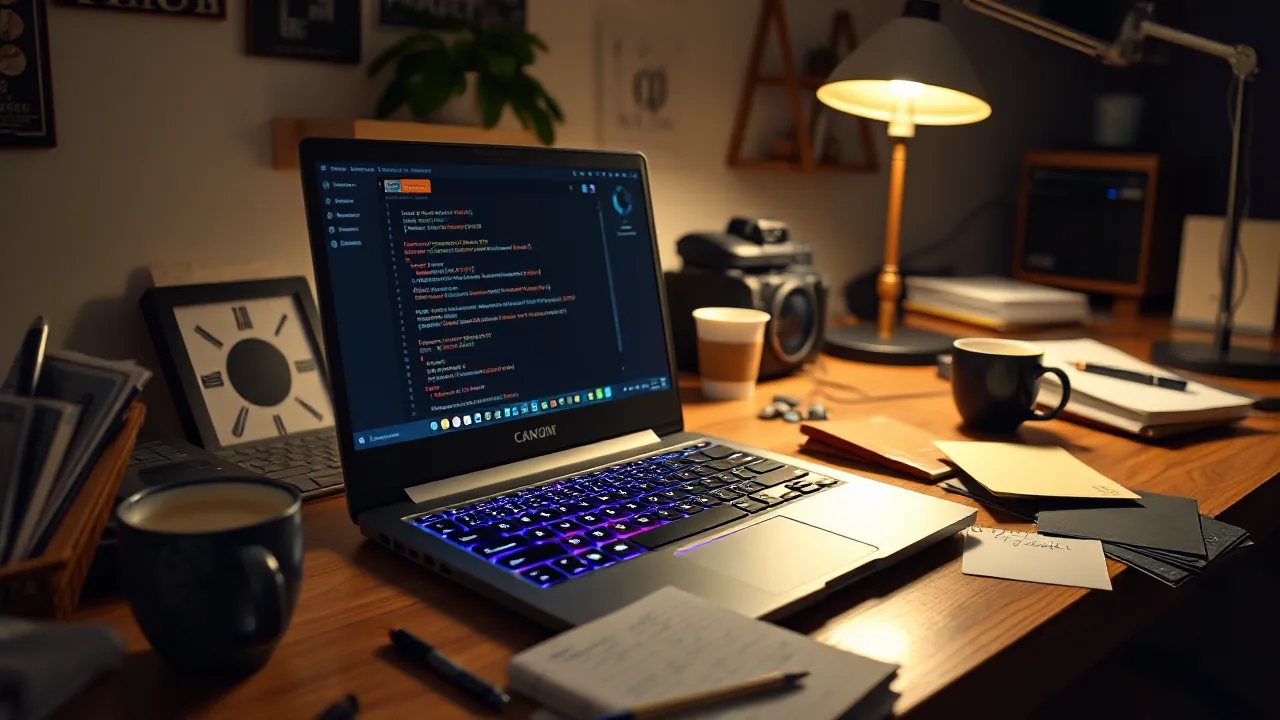
24 Hours Setting Up a Lenovo Legion Pro 7 Gen 10 As a Sovereign-AI Companion Box
I spent the day building a sovereign-AI workstation for a friend. Started with a stock Lenovo Legion Pro 7 Gen 10 still running Windows. Ended with a full self-hosted KI-stack: local Ollama with four models hitting 59 to 65 tokens per second on the Blackwell RTX 5080, a custom learning-cockpit dashboard with 27 explain-topics and 12 audit-checks, four MCP servers exposing 16 tools to OpenWebUI, bidirectional cross-tailnet sharing with port-scoped ACL, and a vibe-sustaining TODO file that opens with “Block 0: first 30 minutes for the aha-effect.”
This post is the honest log. The numbers are measured. The mistakes are unedited. If a step took two tries it appears twice in this post.
The sibling posts in the same audit-thread go deeper on specific decisions: we were wrong about local 8B tool-use, the /data/ convention trap on standard Ubuntu LVM, sovereign friend-setup as a concept, dashboard as learning-cockpit not admin-tool, and two-tailnet privacy with one shared node. This post is the index that ties them together.
The hardware reality
Lenovo Legion Pro 7 Gen 10, model number 16IAX10H, sub-variant 83F5. Intel Core Ultra 9 285HX (24 threads of Arrow Lake), NVIDIA RTX 5080 Mobile 16 GB Blackwell GB203, 32 GB DDR5, 1 TB NVMe split as 300 GB Windows plus 681 GB Linux LUKS. WiFi 7 on a Killer chipset, 240 Hz IPS panel, mechanical keyboard with monochrome backlight (yes, the sub-variant is the one without per-key RGB; we will come back to this).
The friend who will own the machine has never run Linux. The decision early in planning was to install Ubuntu 26.04 LTS, the current LTS with kernel 7.0 that has the audio-codec issue #57 backport for the AW88399 speaker chip. The 24.04 LTS kernel does not. I chose the version bump over the workaround because I did not want the friend’s first encounter with the system to be “your speakers sound tinny, here is a custom-kernel rebuild instruction.”
The NVIDIA driver had to be the 595 open-module variant. Blackwell hardware does not work with the closed 535-non-free path that has carried me through the last five Lenovo setups. The 595-open is required, not preferred. The system gates open with that driver or it does not gate at all.
Is a laptop even the right machine?
Here is the tension I owe the reader up front. This box cost 2600 EUR on offer, against a German list price near 3,400 EUR for the same configuration (Geizhals, 2026-06), so it was a strong-spec machine caught roughly 780 EUR below list. At that budget my own beginner buy-guide does not recommend a laptop at all. It recommends a desktop tower: a used RTX 3090 with 24 GB of VRAM, a Ryzen 7 7700, 64 GB of DDR5 on an AM5 board, landing around 1750 to 2050 EUR. So before anything else, the honest competitive comparison.
The tower wins the numbers that matter most for local AI. 24 GB of VRAM against the laptop’s 16 GB is the single biggest difference, because it is the line between which models and context lengths fit in one card and which do not. The desktop 3090 also runs at full sustained power with desktop cooling, where the mobile 5080 is power-limited and will thermal-throttle under a long generation. The tower carries twice the system RAM, takes standard upgrades, and the 3090 holds a stable resale value because it is a socketed card and not a soldered one. One honest caveat on that price: the 1750 to 2050 EUR is the box and the GPU only. It does not include a monitor, a keyboard, a mouse, or a UPS, and the used 3090 ships with no warranty and a patient-buyer wait on the second-hand market. Add a panel and peripherals and a warranty path and the real-world gap to the laptop narrows considerably.
The laptop wins on a different axis. The RTX 5080 Mobile is Blackwell, two architecture generations newer than the tower’s Ampere 3090. It supports the FP4 path, runs noticeably more tokens-per-watt, and generates FLUX images faster on the current driver stack. And the form factor is the whole point. It is one machine that arrives complete: a 240 Hz panel, a mechanical keyboard, speakers, a webcam, and a battery that doubles as a built-in UPS, all under a manufacturer warranty on day one. It is also portable, which a tower is not. And because it keeps its factory Windows 11 Pro alongside the Linux install, it is the owner’s gaming and everyday-Windows machine as well as his sovereign-AI box, one device that does all three jobs rather than a dedicated AI appliance he also has to sit at. For a first-time Linux owner who wanted a single computer he could live on, that consolidation is not a luxury, it is the requirement.
So the laptop is not the capability-per-euro maximum, and I want to say that plainly. The tower is. The laptop won here because the form factor was the binding constraint and the 2600 EUR offer put a current-generation Blackwell GPU inside it. The 16 GB VRAM ceiling is real, and it is exactly the gap the cross-tailnet escape hatch to the 35-billion-parameter model on the backbone box is designed to cover. When the local 16 GB is not enough, the laptop phones home. If your binding constraint is raw local capability and you do not need to carry the machine, build the tower instead, and the 2,000 EUR beginner guide is the parts list.
What I got wrong first
There were three early mistakes that ate hours.
TPM-PIN pre-flight, skipped. I went into the BIOS to disable Secure Boot before installing Ubuntu, the way I have on every previous Lenovo laptop. The previous Lenovo laptops did not have BitLocker on the Windows side bound to the TPM with a PIN. This one did. The Secure Boot toggle in the BIOS changes the PCR-register state that the TPM uses to unseal the BitLocker key. The next boot into Windows produced a recovery screen demanding the 48-character BitLocker recovery key, which I did not have because the BitLocker setup happened at the factory before the friend received the machine.
The fix was Windows Recovery Environment via Shift+Restart, a command prompt as administrator, net user Administrator FallbackPass2026! /active:yes, and then a Windows reset that decrypted the drive and gave us back control. Three hours, none of which produced anything useful. The lesson, now in my agent memory under feedback_tpm_pin_before_bios, is: on any Windows machine with a TPM-bound auth flow, unbind the PIN before touching the BIOS.
Installer-path for LVM-in-LUKS, broken. Ubuntu 26.04’s Flutter-based installer no longer supports the “manual” partitioning path for LVM-in-LUKS. The UI offers a “manual” mode but the actual flow for nested encryption is gone. After two hours of trying to talk the installer into the layout I wanted, I bailed and switched to a debootstrap install from a live USB. The debootstrap path is more labor (LUKS init, LVM init, debootstrap, chroot, grub, fstab, all by hand) but it is reliable and I know it. The friend will never know which installer was used.
ISO downloads, corrupted twice. aria2c with multiple connections kept producing checksum failures on the Ubuntu ISO. Single-threaded wget worked every time. The lesson, archived in memory: for production-critical downloads, prefer single-connection downloaders even if they take longer. The minutes saved are not worth the second-download tax when the first one failed.
By the time the friend’s laptop actually booted into a working Ubuntu, four hours had been spent on things that produced no working state. I include this on purpose. Setup posts tend to be edited as if the steps happened in the order they read. They do not.
The first useful baseline
With Ubuntu installed, the first thing I did was run Ollama’s installer and pull four models: qwen3:8b, mistral:7b, llama3.1:8b, and nomic-embed-text. The four sum to 19 GB on disk. The pull took six minutes on consumer broadband.
I then ran a benchmark that I had previously used to characterize the DGX Spark sitting on my desk. Same prompt, same warmup, 200-token completion budget, three repeats per model.
The numbers:
- qwen3:8b: 59.5 tokens per second
- mistral:7b: 65.5 tokens per second
- llama3.1:8b: 63.5 tokens per second
These are within 5 percent of the DFlash-tuned around 71 tok/s I measured for the much larger Qwen 3.6 35B PrismaQuant on the DGX Spark. A laptop RTX 5080 Mobile running stock-quantized 8B models with no speculative decoding produces tokens at roughly the same rate as a server-tuned 35B model on a Spark.
I want to be precise about what this comparison means. The DGX Spark is processing a 35-billion-parameter model and the laptop is processing an 8-billion-parameter model. The quality of the output differs. The numerical throughput, however, is comparable, and that is the unit that matters when the friend is sitting at the laptop wondering whether the local model can keep up with him.
The throughput comparability has a memory-bandwidth explanation. Both the Blackwell GB203 in the RTX 5080 Mobile and the GB10 in the DGX Spark are bandwidth-limited at this batch size. The 8B model on the smaller card reaches the same per-token clock-time as the 35B model on the larger card because both cards spend roughly the same fraction of each token-step waiting on memory. The smaller card has less work per step; the larger card has more work but more bandwidth to do it. They converge on throughput from opposite sides of the same equation.
The /data/ convention I imported and then tripped over
I have a /data/ convention on the DGX Spark where project source, AI model storage, secrets, and ops scripts all live under /data/projects/, /data/ai/, /data/secrets/, /data/scripts/. The convention is load-bearing for the code I write. Tools have absolute paths hard-coded. The MCP server config references /data/projects/kb-stack/. The KB-indexer reads /data/projects/sovereign-kb/. None of this knows or cares that on the Spark, /data/ is a physically separate LVM volume.
I copied the convention to the laptop. The Ubuntu installer had given me vg0-root at 80 GB, vg0-home at 513 GB, and vg0-swap at 32 GB. No separate /data/ volume. So /data/ on the laptop was just a directory on the root partition.
To preserve the convention without rewriting the tools, I bind-mounted /data/ai/ to /home/USER/.ai/. Anything written to /data/ai/something lands physically on the 513 GB home partition. The path stays compatible. The disk math stays sane. The convention works.
What I missed was that /var/lib/docker/ is on root, not on /data/, and Docker images are large in 2026. The image graph after I had installed OpenWebUI, ComfyUI, Gitea, faster-whisper, openedai-speech (Piper backend, briefly Kokoro before swap), SearXNG, and Watchtower summed to 47 GB of images on root. Root is 80 GB. The system was at 96 percent before I noticed.
There is a long post on this, the /data/ convention trap on Ubuntu-LVM, that covers the diagnosis (the failed-rsync that revealed Docker 29.5 uses overlayfs, not overlay2, and overlayfs layer-data is invisible to rsync when the daemon is stopped), the correct fix (data-root in /etc/docker/daemon.json, not bind-mount), and the rule I should have followed from day one (the bind-mount list must be complete, including /var/lib/docker, /var/log, and /var/cache/apt).
The immediate triage on the laptop was docker image prune -a -f which reclaimed 4.7 GB and dropped root from 96 percent to 79 percent. The strategic fix is documented in the laptop’s ~/docs/plans/2026-05-29-docker-storage-move.md and will run during a maintenance window. For the friend’s first weeks of use, 17 GB of headroom on root is enough.
The dashboard, version one and version two
I built a dashboard for the laptop. The first version was 600 lines of React-without-JSX in a single HTML file, served by a FastAPI backend, modeled on the DGX Spark dashboard I ship for myself. It showed GPU utilization, RAM and swap, container status, audit findings. It was technically complete and functionally useless. The friend looked at it once.
I rewrote the dashboard before the friend ever logged in. Version two has the same backend skeleton but the UX intent is different. Every metric has an info button that opens a side-drawer with five sections: what is this, why does it matter, pros and cons, best practice, and a one-line CLI command to verify yourself. Every model description includes a Personas paragraph that cross-references the others: “Qwen is the technician, Mistral is the mediterranean one, Llama is the long-form analyst, Grill-Me is the skeptic.” Every default has a one-line Anpassbar hint that says “this is just an example, change the system prompt to whatever fits you.”
There is a long post on the dashboard pattern, Dashboard as Learning-Cockpit Not Admin-Tool, that covers the Info-Button pattern, the Doktor-tab audit checks with concrete fix-buttons, the augenschonende sage palette that replaced the neon-green-on-black retro look, and the AIDE-resolve UI pattern I ported from DGX Spark (with the apt-post-invoke hook that prevents the daily-red-flag false-positives, because the original DGX Spark version was a button without a script and I had to write the script to make the pattern actually work).
The net change is that the friend opens the dashboard now. The Learning tab gets more usage than the Status tab in the first week. That is the difference between a dashboard built for admins and a dashboard built to teach.
MCP servers, four behind one mcpo bridge
The friend’s laptop runs four MCP servers behind one mcpo process:
kbfor KB search and write against a local ChromaDBmem0for persistent personal-fact memorysovgrid-aifor searching the articles on this blogcontext7for current library documentation, fetched on demand
Total of 16 tools exposed. OpenWebUI registers each via /openapi.json. The model picks a tool, OpenWebUI executes it, the result lands in the conversation. End to end: I asked qwen3:8b through OpenWebUI to “search my KB for luks passphrase” and it returned the actual glossary-embeddings note from the local ChromaDB, with the matching snippet about semantic search finding luks-passphrase-aendern.md even when the word “Passwort” is not in the query. The whole loop works.
The deeper post on this, We Were Wrong About Local 8B Tool-Use, is a we-were-wrong piece that corrects an entry in my own agent memory from earlier in May. The short version: the model was never broken; the bridge layer was broken. Direct OpenAI-format API calls to Ollama work fine. The opencode-TUI bridge that gave me the original bad data injected a Title-Generator user-message before the actual user turn, which violated strict-alternation in the chat template. OpenWebUI does not do that, and the model works.
Tailscale, two tailnets, one shared node
The friend should not be a guest in my tailnet. He should have his own. I made him a separate Tailscale account under his own GitHub identity, his own tailnet under his own free-tier. I then shared DGX Spark node from my tailnet to his, scoped at the ACL level to port 30001 only (the vLLM endpoint for the larger Qwen model).
When I tested from his laptop, his nmap-style port scan against the shared DGX Spark node showed exactly one open port (30001) and seven blocked (22, 80, 443, 8770, 8443, and three others). The ACL works.
There is a long post on this, Two Tailnets, One Shared Node, Sovereign Privacy For Family Sysadmin, that covers why “adding the friend to my tailnet” is the wrong primitive (asymmetric admin visibility, dependency on my identity), what the right primitive looks like (two tailnets, scoped sharing, bidirectional), and the exact ACL JSON that scopes the shared node to one port.
The privacy-by-default principle propagates one layer up into OpenWebUI. The default model in the friend’s OpenWebUI is the local qwen3:8b, not the shared qwen3.6-35b. Every casual question goes to the local model and leaks nothing across the network boundary. Only when the friend deliberately picks the shared model does any metadata cross to my server, and at that point he has chosen consciously. That decision is one environment variable on the container.
What the friend’s TODO file looks like
The TODO file on the friend’s laptop is ~/TODO.md, a symlink to ~/docs/TODO.md, which is committed to a local Gitea repo so it survives reboots and is auditable. The first section is Block 0: “first 30 minutes for the aha-effect.” It contains three items:
- LEGION-001: generate your first AI image in ComfyUI (it works, expect 30 seconds for a 1024x1024)
- LEGION-002: ask Mistral a question in OpenWebUI (“tell me something interesting about bread, in 5 sentences, in the voice of a relaxed Italian”)
- LEGION-003: ask the KI to describe your image. (This will not work because all four local models are text-only; the quantization process strips the vision tower. The task is designed to fail and then to teach: the failure message explains why.)
That third item is the design choice that most surprised me when I wrote it. I deliberately included a task that the local stack cannot do, because hitting the limit and reading the explanation builds a more accurate mental model than reading the explanation without ever hitting the limit. The friend learns “all four of my local models are text-only” by trying and failing, in 60 seconds, in a low-stakes context.
After Block 0 is Block A, Vision-Quest. Five items that walk the friend through deciding what he actually wants to make: a video, an image series, text, a book, an app, GitHub bounty-hunting, or something else. Each item is a 15-minute Mistral conversation followed by a short note in the KB. Block B is “experiment with the tools, one weekend each.” Block C is “your first real piece, published somewhere.” Block D is “make money, if you want.” Block E is “maintain the system, lightly.”
The whole structure is from the sovereign friend-setup post, which goes deeper on why a vibe-sustaining workflow with achievements and cross-references keeps a friend exploring versus giving up after day two.
The keyboard backlight that does not work
The Lenovo Legion Pro 7 Gen 10 has multiple sub-variants. Some have per-key RGB. The friend’s sub-variant, 16IAX10H model 83F5, has a monochrome backlight. The kernel-side legion-laptop driver exposes a platform::kbd_backlight sysfs entry that accepts brightness values 0 through 2 and produces no visible effect. The real RGB controller is an ITE-Tech HID device at /dev/hidraw1 and /dev/hidraw2. OpenRGB 0.9 from the Ubuntu archive lists no recognized devices. OpenRGB 1.0rc2 has no .deb asset on its GitHub release. The community has not yet shipped a profile for this specific sub-variant.
The honest description, archived in the laptop’s KB as ~/kb/legion/keyboard-rgb-state.md, is that the hardware is there, the standard tools cannot drive it yet, and the four future-paths are: build OpenRGB from latest source, write a Python hidapi script and reverse-engineer the protocol from Windows Lenovo Vantage HID traffic, file a GitHub issue against OpenRGB with a packet capture, or wait for the community profile. The friend can use the keyboard in daytime. At night the screen provides ambient light. The honest assessment is that this is convenience, not function, and the cost-benefit is “park it and revisit if someone else solves the protocol question first.”
Day-of receipts: what the numbers actually look like
For a sceptical reader who has read this far, here are the numbers I have on hand from the late afternoon of 2026-05-30, after the full Docker-plus-containerd migration finished and the stack settled.
Disk after both migrations. Root partition at 22 percent used, 17 GB of 79 GB. Home at 25 percent used, 118 GB of 513 GB. That is 41 GB freed from root by the two-daemon move (Docker data-root plus containerd root). The morning’s Docker-only attempt was insufficient. The afternoon’s complete two-daemon migration was the receipt.
Six containers, all healthy. docker ps shows open-webui, comfyui, gitea, searxng, faster-whisper, and openedai-speech all Up and reporting healthy. HTTP endpoint pokes against each return 200. The watchdocker timer is enabled and ready for its Sunday window; the dry-run finds all 4 compose projects correctly.
Ollama local lineup, post-migration. All four models present on disk and serving inference cleanly:
qwen3:8bat 4.9 GBmistral:7bat 4.1 GBllama3.1:8bat 4.6 GBnomic-embed-textat 0.3 GB
A round of single-prompt completion tests against each model returned in the expected token budget. No model was orphaned by the containerd snapshot move.
DGX Spark remote model, measured over Tailscale from the laptop. I sent a real-world German request to the DGX-Spark-side Qwen 3.6 35B PrismaQuant via the Tailscale-shared endpoint. Prompt was 27 tokens. Completion was 332 tokens. Wall-clock total was 7.7 seconds, which includes Tailscale latency, HTTP overhead, and the actual decode. Effective rate: about 43 tokens per second end-to-end. The pure-inference number measured locally on the Spark was 50 to 57 tokens per second, so the Tailscale tax is roughly 10 to 15 percent for this request shape. For comparison, a typical cloud-hosted ChatGPT-4 response runs 30 to 50 tok/s and Claude Opus runs 50 to 80 tok/s. The friend’s DGX-Spark-over-Tailscale experience is on parity with the current cloud providers from his interactive seat, with the difference that no data leaves the two-tailnet boundary.
MCP and tool-chain integrity. The mcpo bridge process exposes four MCP servers (kb, mem0, sovgrid-ai, context7), and all four return HTTP 200 on their respective /openapi.json. From inside the OpenWebUI container, curl against the shared DGX Spark vLLM endpoint returns the model list, confirming the cross-tailnet route works from inside the container namespace, not just from the host. The vibeforge tool generated a real German caption against the local Mistral after the migration, which is the end-to-end proof that local model, local MCP bridge, and local tool-chain still talk to each other.
The receipts above are not a benchmark suite. They are the numbers I had on hand the afternoon I finished the migration. The point is not that they are exceptional; the point is that they are real, measured, and consistent with what the rest of the post has been claiming.
What survived the day
The friend’s laptop currently has:
- 7 healthy Docker containers: open-webui, comfyui, gitea, watchtower, searxng, faster-whisper, openedai-speech (the TTS engine ended up being matatonic/openedai-speech with Piper backend; Kokoro CPU was the Blackwell-CUDA workaround initially, but later the Piper de_DE-thorsten-medium voice was added because the default English voices like alloy spoke German with an English accent that whisper-large-v3 transcribed as gibberish)
- 3 healthy systemd-user services: the dashboard backend, the KB indexer, the mcpo bridge
- 4 Ollama models matching the DGX Spark convention, all benchmarked, all serving tool calls cleanly
- A bidirectional Tailscale-share to the DGX Spark vLLM endpoint, ACL-scoped to one port
- A KB with 60 notes including a 19-entry glossary that explains every acronym the dashboard uses (KB, RAG, MCP, mcpo, LLM, VRAM, LUKS, DoT, NLE, NVENC, etc.)
- A Gitea instance with four repos:
legion-dashboard,legion-openwebui,legion-docs,sovereign-kb - A welcome mapping in
~/docs/with 15 system explanation files, a 272-line cheatsheet, a FAQ, and a DO-NOT-TOUCH file - A TODO file with the Block 0 “first 30 minutes” pattern and an Achievements track that rewards the friend for completing the early items
What survives is mostly what the friend will not have to think about. The infrastructure runs. The dashboard explains itself. The KB grows on its own as the friend writes notes. The Tailscale share to DGX Spark gives him an escape hatch for when the local 8B model is not enough.
What I would do differently if I started over
Three things.
Pre-partition the disk with a separate /var/ volume. The Ubuntu installer offers manual partitioning. I should have made vg0-root small (30 GB), vg0-var the home of /var/ (100 GB, which would have absorbed /var/lib/docker/ without bind-mount gymnastics), vg0-data separately for the convention (100 GB), and vg0-home for everything else (460 GB). The cost was 20 minutes of installer-UI work. The benefit would have been the entire /data/ convention trap going away.
Run the keyboard-backlight test on day one. The keyboard backlight is the kind of thing you notice on day three when you try to type at night. Discovering it does not work on day three means three days of mental commitment to a setup that has a known limitation. Day-one discovery would have changed the buying-recommendation note in the welcome doc.
Skip the brave-app-mode profiles. I spent an hour setting up Brave with isolated --user-data-dir profiles per web-app (dashboard, OpenWebUI, ComfyUI, KB), only to find that the isolated profiles do not have the Bitwarden extension. The friend cannot autofill passwords in those windows. I reverted to normal Brave tabs with bookmarks. The “app-window feel” is not worth the password-manager loss for web-UIs that the friend uses constantly.
Cost ledger, approximate
For anyone weighing this against a different path:
- Hardware: 2600 EUR for the laptop, bought on offer against a German list price near 3,400 EUR (Geizhals, 2026-06), configured at purchase, no upgrade decisions
- Software: 0 EUR, all FOSS, no Cloud-LLM subscriptions
- Time: roughly 24 hours of my engineering work, including the 4 hours of avoidable mistakes
- Ongoing cost for the friend: 0 EUR, the system runs on electricity he was already paying for, no subscriptions of any kind
The friend needed a capable laptop regardless, and he bought this one on offer for 2600 EUR against a list price near 3,400 EUR, so going sovereign did not add hardware cost beyond the machine itself. What it avoids is the recurring bill: a ChatGPT Plus subscription at 20 USD per month is about 240 EUR per year, every year, indefinitely. The local stack carries zero recurring cost from month one. The up-front investment was the engineering time, not extra hardware.
What I learned later (2026-05-30 update)
The day after this post was drafted, three of yesterday’s “solved” entries reopened. I am appending them rather than rewriting above, because the editing-pretense of a clean log is exactly the dishonesty this thread is supposed to avoid.
Plymouth on Blackwell broke the LUKS prompt. I had enabled Plymouth on the morning of day-two to give the friend a polished splash screen instead of the raw kernel boot text. The reboot that night got stuck at the LUKS passphrase prompt because Plymouth on Blackwell does not pass keyboard input through during early boot. The friend stared at a blinking cursor that did not echo. I had to walk him through a GRUB edit (e at the boot menu, append plymouth.enable=0 to the kernel line, Ctrl-X), with the additional wrinkle that the GRUB-edit screen uses the US keyboard layout regardless of the installed locale, so the y in plymouth is on a different key than he expects. The lesson: polished splash screens on bleeding-edge hardware are not free. The cost can be locked out of your own system. I undid the Plymouth enablement and added a Doktor-tab check that warns if plymouth.enable=0 is missing from the kernel cmdline on Blackwell hardware.
The EasyEffects “audio fix” was nothing of the sort. I had described internal speakers as “solved” via EasyEffects yesterday. Today I removed EasyEffects, paired Bluetooth headphones as a control, and verified that the Cirrus / TI Smart-Amp on this Lenovo sub-variant has no Linux driver yet. EasyEffects had added a PipeWire processing layer that masked the symptom without addressing the root cause. The speakers still sounded bad through it, just bad in a different way. The real fix for this hardware in 2026 is Bluetooth headphones, not software. I corrected the setup log in the friend’s KB and added a one-line note: “internal speakers are a known hardware limitation on this sub-variant, pair headphones for any serious audio.” That note replaces 200 lines of EasyEffects config that did nothing.
VLC with hardware decode produces green-red Chroma-Plane stripes on Blackwell. The friend tried to play a downloaded video tonight and got a striped screen. VLC was using its default hardware decoder against the Blackwell driver and the chroma planes were misaligned. The fix was to switch to mpv with hwdec=auto-safe in ~/.config/mpv/mpv.conf, which fell back to a software path that the Blackwell driver did not corrupt. mpv is now the default video player in the friend’s MIME associations. VLC is still installed but moved off the default-handler list. I added a Lernen-tab topic explaining the difference and why mpv is the better default for this card.
The pattern across all three: I had typed “solved” into the post above for things that were not solved. Plymouth was an unverified ship. EasyEffects was a symptom-mask. VLC was a default that I had never actually tested with a real file. The discipline rule, which lives in DRAFT-04 in its inverse form, is measure first then install. I broke it three times in one day. The corrected entries above are the receipts.
What I learned later (2026-06-03 update)
A second batch of corrections and additions, two days on. Same rule as before: append, do not rewrite, because the receipts are the point.
The memory layer was tied to the model, and the model is not always up. The setup uses a local memory store so the assistant remembers facts about its operator across sessions. I had wired it to extract those facts with the local LLM. The problem showed up the first time the model was busy serving something else: a memory write would silently fail, because the fact-extraction call had nowhere to go. A second brain that forgets whenever the model is loaded is not a second brain. The fix was a fallback. If the extraction model is unavailable, store the raw text directly instead of dropping the write. Memory now survives the model going offline.
The RAG retrieval was confidently wrong on short questions. Ask the knowledge base “what is RAG” and it returned a note about keyboard RGB lighting. The semantic search was matching on surface tokens for short German queries, and it delivered nonsense with full confidence. Three changes fixed it. Pronoun normalization rewrites first-person queries to the operator’s name before search, because the profile note is indexed under the name, not under “I”. The hypothetical-answer expansion step now runs at temperature zero, so the same question returns the same result twice. And a deterministic glossary boost pins an exact slug match to the top instead of trusting vector similarity to find it. Short definition queries are where pure semantic search is weakest, and a deterministic shortcut beats a confident wrong answer.
The backup was 51 gigabytes of things that did not need backing up. The nightly archive was encrypting the Ollama models, the Python virtual environments, the Rust toolchain, and the browser caches, all of which are reproducible from a command. Excluding the reproducible trees took the archive from 51 gigabytes to 259 megabytes. I also added a keep-newest hook so the local copy holds one archive instead of accumulating them until root fills. While doing this I broke the backup once: I had bind-mounted the staging directory inside the source tree, which made tar try to archive its own output in a loop, and a hardening flag made the directory read-only on top of that. The pipeline failed loudly, which is the one good thing I can say about it. The corrected exclusion list and a writable-path override are the receipts.
The integrity monitor was hashing the home directory. This one earned its own post. The default AIDE configuration on Ubuntu selects the entire filesystem, so the nightly tripwire was checksumming 146 gigabytes of models and downloaded video, caught in the act reading a film. Scoping it to the system directories took the database from a 49-gigabyte-and-climbing scan to 81 megabytes. The full write-up is linked below.
The dashboard grew a maintenance tab and an accessibility pass. The friend now has buttons for the things he would otherwise have to remember as commands: a system update, a disk cleanup that frees caches and temp files when the partition gets tight, an integrity-database rebuild, and a one-click backup to local disk or USB. The same pass fixed the dashboard’s own accessibility, which was worse than I expected. The keyboard focus outline was globally disabled with no replacement, so a keyboard user could not see what was selected. Secondary text sat at 25 percent opacity, under the contrast floor. The viewport tag disabled pinch-zoom outright. All three are fixed now, with a visible focus ring, readable contrast, and zoom restored. A learning-cockpit that a keyboard or low-vision user cannot operate is not a cockpit for everyone in the house, which was the point of building it for someone else.
What is next on this thread
Six sibling posts go deeper on the specific decisions. The order to read them in is up to you.
We Were Wrong About Local 8B Tool-Use corrects an earlier memo of mine and includes the exact curl commands you can run on your own setup to verify.
The /data/ Convention Trap on Standard Ubuntu LVM is the long-form post-mortem on why the convention I imported from DGX Spark bit me twice and what the correct migration path looks like.
Sovereign Friend-Setup: When You Build A Box For Someone Else is the concept piece about what changes when the operator is not you.
Dashboard As Learning-Cockpit Not Admin-Tool is the UX pattern post.
Two Tailnets, One Shared Node: Sovereign Privacy For Family Sysadmin is the privacy primitive post.
Your File-Integrity Monitor Is Probably Hashing Your Movie Folder is the AIDE-scope post-mortem from the 2026-06-03 update, with the commands to check your own box.
I will write more posts in this thread as the friend’s setup ages and produces new lessons. The first follow-up will probably be three months out, when I have actual data on what he used, what he ignored, and what he ended up building. That is the post I am most interested in writing.
What This Setup Would Cost As A Service
I built this for a friend at zero charge. The whole post above is a labor-of-friendship log, not a price list. But the question came up the day after, between two cups of coffee on 2026-05-30: what would this look like as a commercial offer? If somebody walked up to me next month and said “I want exactly that, I have a budget, what does it cost”, what is the honest number?
The math is not hard. Hardware base for the Lenovo Legion Pro 7 Gen 10 sits at 2,600 to 3,400 EUR depending on the configuration window, the retailer, and whether you catch an offer (this build landed at 2,600 on offer against a list price near 3,400). The skilled-labor portion (the engineering hours that go into installing the OS, partitioning around the LVM-on-LUKS path, getting the Blackwell driver to stand up, installing the local AI stack, configuring the four MCP servers, getting the cross-tailnet share to pass the port-scan test) is eight to twelve hours of work for someone who has done this before. At a commercial Linux-engineering rate of 80 to 150 EUR per hour, that is 640 to 1800 EUR of labor.
The custom multi-agent toolchain plus the learning-cockpit dashboard plus the KB infrastructure (the DGX-Spark-mirroring patterns, the vibeforge-style tools, the Persona descriptions, the Doktor-tab audit-checks with fix-buttons, the Block-0 first-30-minutes onboarding TODO) is its own deliverable. Building it the first time was a multi-week investment. Porting and adapting it for a new client lands at 500 to 1200 EUR of delivered value. Initial onboarding plus 30-day support (the part where the buyer actually learns how to drive the thing and where I fix whatever broke in week two) is another 300 to 700 EUR.
The total package, “ready-to-use sovereign-AI workstation as a service”, lands somewhere between 3900 and 6100 EUR. That is the honest number. Not a marketing number, not a discount-from-list-price number. The actual cost of the parts plus the actual hours of the engineering plus the actual deliverable of the working stack plus the actual month of post-delivery support.
What Else The Market Offers
I went looking for direct competitors and could not find any. The closest neighbors are these.
System76, the long-running Linux-OEM out of Denver, ships laptops with Pop!_OS pre-installed at price points from 2500 to 4500 EUR depending on the model. The hardware is solid and the Linux works out of the box. There is no AI stack. The buyer gets a Linux laptop, not a sovereign-AI workstation.
Tuxedo (Germany), Slimbook (Spain), and Framework (US) ship Linux laptops in the 1500 to 3500 EUR range. Generic Linux installs, no AI stack, no model-routing, no Tailscale-mesh primitive. Excellent hardware curators, but the boxes ship as kits.
NVIDIA’s own DGX Spark is 4000 EUR for the small variant and is closer in spirit to what I am describing, but it is explicitly an AI-development workstation, not a daily-user box. The Spark has no integrated dashboard, no onboarding stack, no privacy-by-default OpenWebUI surface, no curated Persona models. A senior engineer can build all of that on a Spark, but the Spark does not ship with it.
I could not find a single offering in the market for “Linux laptop plus sovereign-AI tool-chain plus learning-cockpit dashboard plus cross-tailnet privacy-mesh plus 30 days of support, ready to use on day one.” The niche is empty. That is interesting because the demand is not zero, and the construction cost is bounded and known.
Who Would Actually Buy This
The buyer demographic is narrower than the general public and broader than I expected.
Privacy-conscious professionals who handle confidential material as a daily-job constraint: Anwälte who cannot upload client documents to a US-hosted cloud LLM and remain compliant with their professional duty, Therapeuten whose session notes are explicitly out-of-scope for cloud chat, Journalisten with source-material that cannot leak. For these professionals, the alternative is “do not use AI assistance at all”, and a 4000 EUR one-time investment that lets them safely use AI on real work is an obvious purchase.
Senior developers who have noticed how much of their codebase flows through GitHub Copilot, Claude Code, and ChatGPT, and who would rather not have their proprietary IP in someone else’s training pipeline. This is a small but well-funded buyer pool. They are technically capable of building this themselves, and they will not, because they value their evening hours more than the build cost.
Crypto and sovereign-stack enthusiasts who already self-host Lightning nodes, run their own Nostr relays, and have a cultural commitment to running infrastructure they own. The cultural fit is direct. The friction is the Linux-plus-AI part, which is not their usual area.
Tech-aware parents who do not want their children’s homework, journal entries, and chat history to land in OpenAI’s training corpus. This buyer is more emotionally driven than the others and will pay a premium for the working system rather than the kit.
Researchers whose data is genuinely confidential (medical records, classified material, unpublished research). The institutional alternative is no-AI or expensive enterprise-cloud contracts. A 4000 EUR workstation that bypasses both is a budget rounding error.
Indie creators (writers, podcasters, video editors) who do not want their drafts and outlines and source material in someone else’s training set. The privacy concern here is competitive (their drafts are the product) as much as it is ethical.
The shared property across all these buyers is that the price of cloud AI is not the binding constraint. The binding constraint is “where does my material go after I type it.” If the answer is “into my own laptop and nowhere else”, the deal is done.
Why Someone Would Pay For It
The honest case for paying somebody else to build this is not “you cannot do it yourself.” It is “you have not done it before and the path has tax-traps the documentation does not warn about.”
Eight to twelve hours of skilled Linux-plus-AI infrastructure work is the visible labor. The invisible labor is the catalogue of mistakes the experienced operator has already made and learned to avoid: the TPM-PIN pre-flight before BIOS edits, the bind-mount list that must include /var/lib/docker, the Plymouth-on-Blackwell trap, the EasyEffects-as-symptom-mask trap, the Brave-app-mode-loses-Bitwarden trap. A first-time builder will hit most of these. The 24-hour real-time log I wrote above is partly a catalogue of these traps, and reading the log does not transfer the muscle memory of avoiding them. Doing the work transfers it.
The pre-configured cross-tailnet route to a 30B-class model on a backbone box (the DGX Spark pattern) is genuinely non-trivial network architecture. It involves two separate Tailscale identities, a one-way share, an ACL JSON scoped to one port, a verified port-scan from the recipient side, and a default-local discipline at the application layer that prevents accidental leakage. A first-time builder can produce a working version of this in a long weekend; a working version that survives the buyer’s first six months of casual use without ACL drift is harder.
The custom dashboard and onboarding documentation address the “what do I even do with this” friction that kills most home-built systems within two weeks. The Block-0 first-30-minutes pattern, the Personas with cross-references, the Anpassbar hints, the Doktor-tab audit-checks with one-button fixes are not nice-to-haves; they are the difference between a working stack the buyer uses and a working stack the buyer abandons.
Ongoing 30-day support is the part that is hardest to value before it is needed. Something will break in the first month: a kernel update will land sideways, a model pull will get interrupted, a Tailscale ACL will drift after a UI redesign, an OpenWebUI container will refuse to restart cleanly. When that happens, the buyer who is paying for support files one message and the system is fixed. The buyer who is not paying for support spends a Saturday on it.
What This Offer Explicitly Is Not
I want to be precise about what this is not, because the engineering-honest version of this section is what distinguishes the offering from a marketing pitch.
This is not the cheapest path to AI access. A ChatGPT Plus subscription at 20 USD per month is cheaper for the first 16 to 25 months. Claude Pro at the equivalent rate is the same, though if the goal is frontier access without a subscription or a KYC account you can also pay Claude per query over Bitcoin Lightning via ppq.aiAffiliate link. You support sovgrid at no extra cost to you. See /support.. If the buyer’s binding constraint is monthly cost, a cloud subscription on a 1200 EUR consumer laptop is the better answer.
This is not the easiest path. An Apple M4 MacBook with the buyer’s preferred cloud-tier AI subscription has lower setup complexity, no Linux maintenance, and an out-of-the-box experience that requires zero engineering knowledge. If the buyer’s binding constraint is ease of use and they have no privacy concern, the M4 wins on convenience.
This is the right answer for the operator who values privacy and sovereignty over convenience. That is a smaller buyer pool than “everyone who uses AI”, but it is a real one, and the pool is growing as the cloud-AI providers normalize broader data collection. The 2026 trajectory on training-set transparency, on data-retention defaults, and on the regulatory environment in Europe all push more buyers into the “I want this off-cloud” category every quarter.
Where This Market Is Headed In 2026 And 2027
Two trends matter for sizing this market into the next 18 months.
First, the local-model quality threshold has crossed a line that most buyers do not yet know was crossed. The 8B-class models running on consumer-grade Blackwell hardware now produce output that is good enough for daily professional use. Two years ago the local-versus-cloud quality gap was wide enough that almost nobody would trade it for privacy. Today the gap is small enough that the trade is rational. The buyers who have not noticed yet will notice in 2026 and 2027 as their professional networks demonstrate it.
Second, the privacy-regulatory environment in Europe (and increasingly in the US state-by-state) is moving toward stricter consent and audit requirements for any business that touches client data with a cloud LLM. Anwälte and Therapeuten will be early-forced buyers. The compliance argument turns sovereign-AI workstations from a preference into a professional obligation for a non-trivial slice of the market.
The market opportunity for a craftsman who can deliver 3900-to-6100-EUR ready-to-use sovereign-AI workstations is small but real, with a buyer-pool that is converting on privacy-and-compliance pressure rather than on price. Ten to thirty buyers per year per craftsman is plausible for someone who builds a reputation in one of the listed verticals. That is the rough order of magnitude. I am not selling this yet, and I am not certain I will. But the question of what it would cost was worth answering honestly, because the answer reframes what the work is worth and what the buyer is getting.